C2C vs Single Crochet: Which Is Better for Photo Patterns?
Should you use corner-to-corner (C2C) or single crochet for your photo-to-crochet pattern? Compare texture, detail, speed, and difficulty.
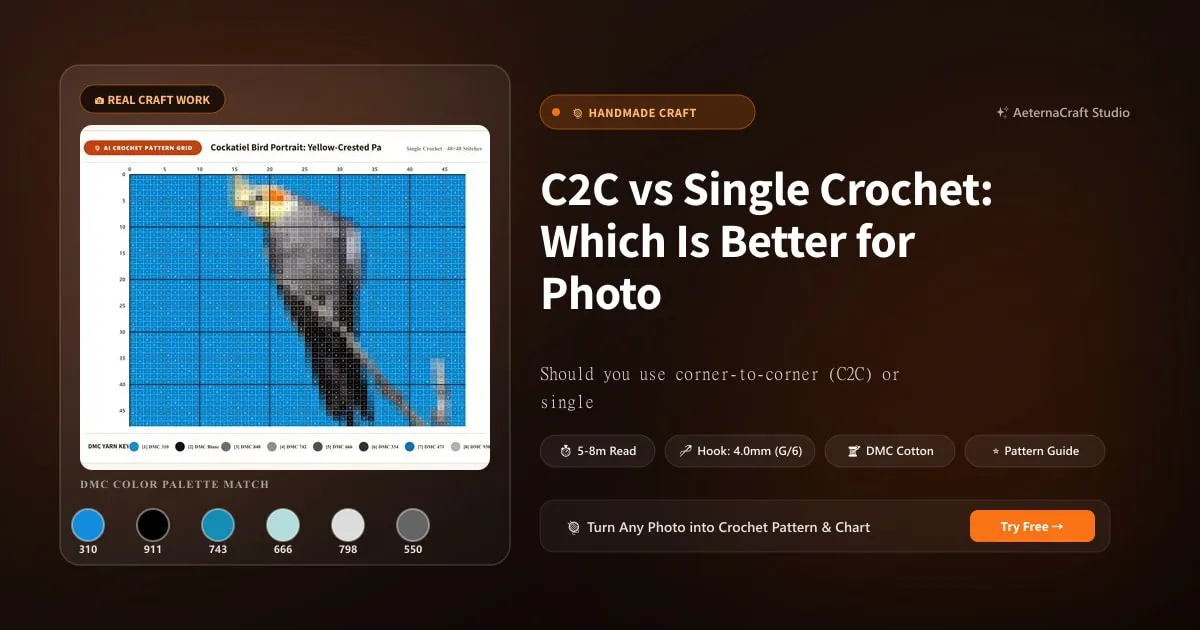
C2C vs Single Crochet: Which Is Better for Photo Patterns?
When generating a photo-to-crochet pattern, one of the most important decisions is the stitch mode. The two primary options — corner-to-corner (C2C) and single crochet — produce distinctly different results, and choosing the right one can make or break your project.
What Is C2C (Corner-to-Crochet)?
C2C is worked diagonally, starting from one corner and building outward in triangles. Each “block” consists of a chain-3 plus 3 double crochets. The fabric is dense, slightly textured, and holds its shape exceptionally well.
Key characteristics of C2C for photo patterns:
- Diagonal rows create natural colour blending
- Dense fabric prevents light from showing through gaps
- Slightly textured surface adds a woven, tapestry-like quality
- Excellent for blankets, wall hangings, and large pieces
What Is Single Crochet for Photo Patterns?
Single crochet is worked in straight horizontal rows. Each stitch is compact and uniform. For photo patterns, single crochet creates a grid where each stitch represents one pixel of the image.
Key characteristics of single crochet for photo patterns:
- Straight rows are easy to count and follow
- Smooth, flat surface shows colour transitions clearly
- Tighter gauge possible for finer detail
- Excellent for cushion covers, patches, and small pieces
Head-to-Head Comparison
| Factor | C2C | Single Crochet |
|---|---|---|
| Detail clarity | Good — diagonal blending | Excellent — pixel-perfect |
| Colour transitions | Smooth, natural | Crisp, defined |
| Fabric texture | Woven, tapestry-like | Smooth, flat |
| Yarn usage | 25% more | Baseline |
| Speed | Moderate (bulkier stitches) | Slower (smaller stitches) |
| Difficulty | Intermediate | Beginner-friendly |
| Best for | Blankets, wall art | Cushions, small portraits |
| Shape retention | Excellent | Good (may need blocking) |
| Drape | Stiff, structured | Flexible, soft |
When to Choose C2C
Choose C2C when:
- You’re making a blanket or large wall hanging
- Your pattern has smooth gradients (sunsets, skies)
- You want a tapestry-like, woven appearance
- The finished piece needs to hold its shape without framing
- You’re making a wearable item that needs structure
C2C’s diagonal construction naturally blends colour transitions, making it ideal for photos with gradual colour changes. The slight texture adds depth that mimics the organic quality of a woven tapestry.
When to Choose Single Crochet
Choose single crochet when:
- You’re making a cushion cover or small item
- Your pattern has crisp, geometric details (logos, text)
- You want maximum detail clarity
- You’re a beginner trying photo-to-crochet for the first time
- The finished piece will be framed or mounted
Single crochet’s horizontal rows create a clean, pixel-grid appearance where every colour change is precisely defined. This makes it the better choice for patterns where sharp edges matter more than smooth gradients.
The Detail Question
Here’s a surprising finding: single crochet can actually show more detail than C2C at the same grid size. This is because single crochet stitches are smaller and more uniform, creating a finer pixel grid. C2C’s bulkier stitches slightly blur the boundaries between colours.
However, C2C’s diagonal construction creates a more natural-looking result — the colour transitions feel organic rather than digital. For portraits and landscapes, this natural quality often matters more than raw pixel detail.
Real-World Examples
Visit our Gallery to compare:
- Golden Retriever blanket (C2C, 80×100): Notice the smooth fur transitions and woven texture
- Babybel cat cushion (single crochet, 90×90): Notice the crisp pixel detail and flat surface
- Monarch butterfly cardigan (single crochet, 120×150): Notice the precise colour boundaries
Bobbin Management: The Hidden Factor
C2C and single crochet require different approaches to yarn management:
C2C bobbin management: Because rows run diagonally, colour sections tend to be longer and more continuous. This means fewer bobbins active at any time, but longer floats on the back.
Single crochet bobbin management: Horizontal rows cross colour boundaries more frequently, meaning more bobbins active simultaneously but shorter carries. This can actually be easier to manage for patterns with many small colour sections.
Making Your Choice in Studio
AeternaCraft Studio lets you select your stitch mode before generating the pattern. The same photo, same grid size, and same colour count will produce different patterns depending on your choice. We recommend generating both versions and comparing before starting your project.
Pro tip: If you’re unsure, start with C2C. It’s more forgiving of tension inconsistencies and produces a more visually impressive result for most photo-to-crochet projects.
Frequently Asked Questions
Is C2C or single crochet better for photo patterns?
C2C (corner-to-corner) is generally better for photo-to-crochet patterns because it creates a tight, woven fabric that displays colour changes cleanly and holds its shape well. Single crochet works for smaller projects but produces a slightly textured surface that can blur fine details.
Does C2C use more yarn than single crochet?
Yes, C2C uses approximately 20–30% more yarn than single crochet for the same grid size. This is because C2C stitches are denser and bulkier. However, the visual quality improvement often justifies the extra material cost.
Can I mix C2C and single crochet in the same pattern?
It's not recommended. Mixing stitch modes creates visible texture differences that disrupt the image. Choose one stitch mode for the entire project. If you want texture variation, use it in the border or framing, not in the pattern area.
Related Posts
How to Crochet a Pet Portrait: Color & Grid Tips
Learn how to crochet a realistic pet portrait from a photo. Expert tips on colour palette, grid size, and stitch mode for dogs, cats, and other pets.
ToolsSelling Photo-to-Crochet Patterns: Profit Guide
Learn how to sell photo-to-crochet patterns and finished pieces. Covers pricing, platforms, copyright, and building a profitable crochet business.
Try Our Free Crochet Tools
Turn Your Photo Into a Crochet Pattern
Upload any photo and our AI generates a pixel-perfect crochet pattern with real yarn color matching in seconds.
Try AeternaCraft Studio Free →Calculate Yarn for Any Resize
Free amigurumi yarn & resizing calculator. Change hook, switch yarn, or scale a whole pattern — instant results with PDF export.
Open the Calculator →